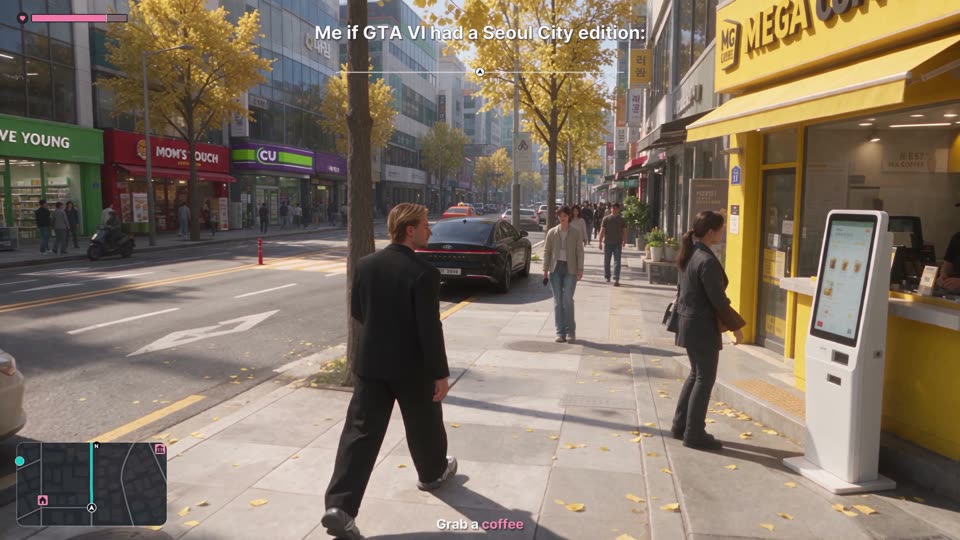
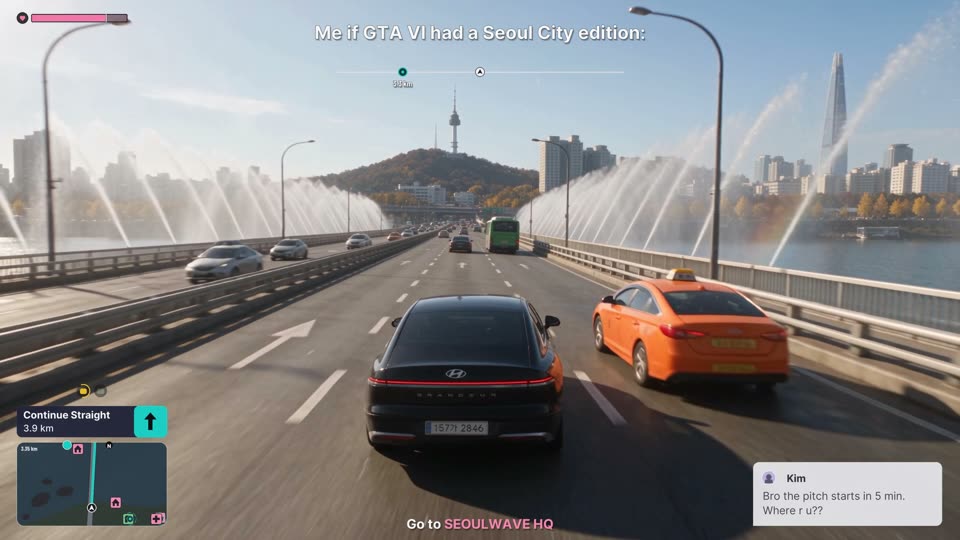
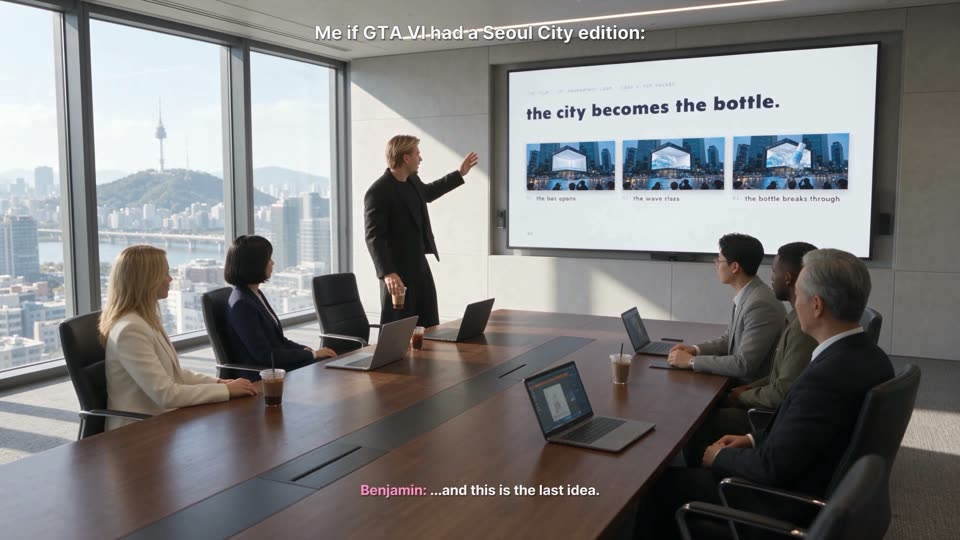
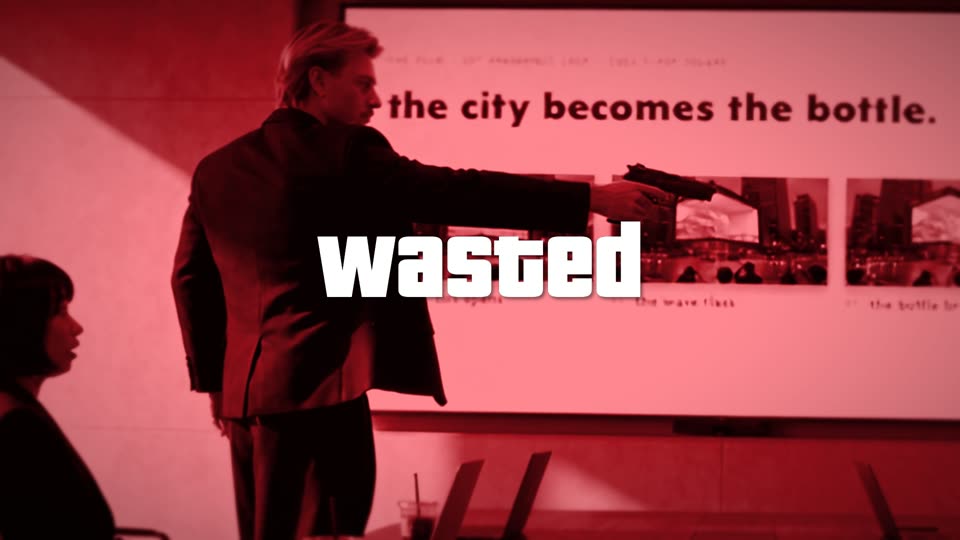
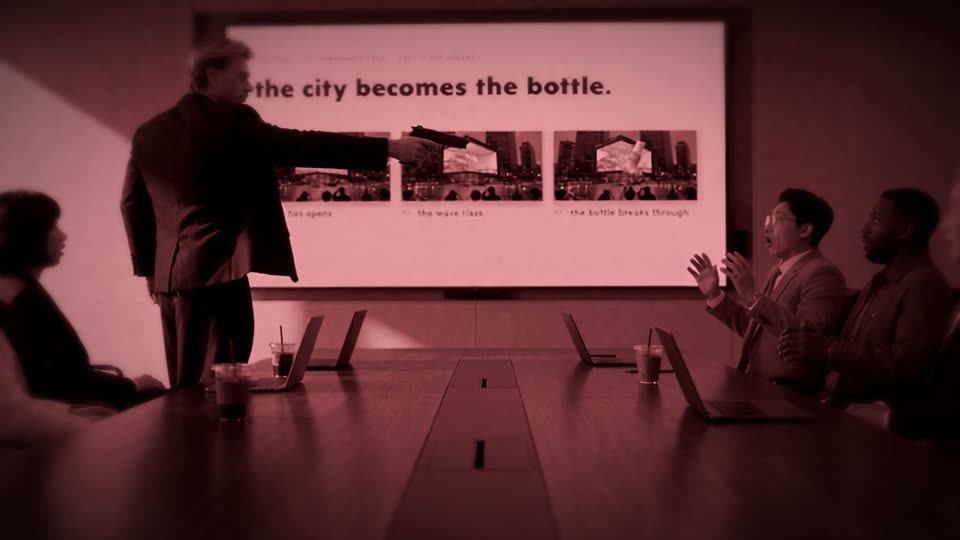
The tutorial from the reel · Me if GTA VI had a Seoul City edition
Make your own GTA VI reel with AI
You commented PROMPT. Here is exactly how I made it: the 3 steps, every prompt that worked, and the edit. You never write a prompt yourself: you paste one block into Claude or ChatGPT and it writes them all.
The goal: the same person, the same car and the same places in every shot. That is why we make the references first.
STEP 1
Sheets
A character sheet and a car sheet, made from real photos.
STEP 2
Locations
One still image per place, so the set never changes.
STEP 3
Shots
One video prompt per shot, with the sheets, the place and a real game clip attached.
THEN
Edit
Game HUD, WASTED, real sounds.
Writes the promptsClaudeor ChatGPT
ImagesSeedream 5.516:9 · 2K · 2 variants
VideoSeedance 2.516:9 · 480p draft first
FinishUpscaler + editore.g. Topaz, Premiere
Two rules. Always tag each image with @ in your video tool (type @, pick the image), otherwise it is ignored. Always generate a 480p draft first and upscale only the take you keep.
Start here: copy this
Paste this block into Claude or ChatGPT and attach your photos. It interviews you, then writes every prompt below, in order.
You are my prompt writer for an AI "GTA VI parody" reel. I will describe my idea; you write every prompt, I only copy and paste them. Images are made with Seedream 5.5 (16:9, 2K), videos with Seedance 2.5 (16:9, multimodal, draft in 480p first).

WORKFLOW (one step at a time, wait for my OK before the next):
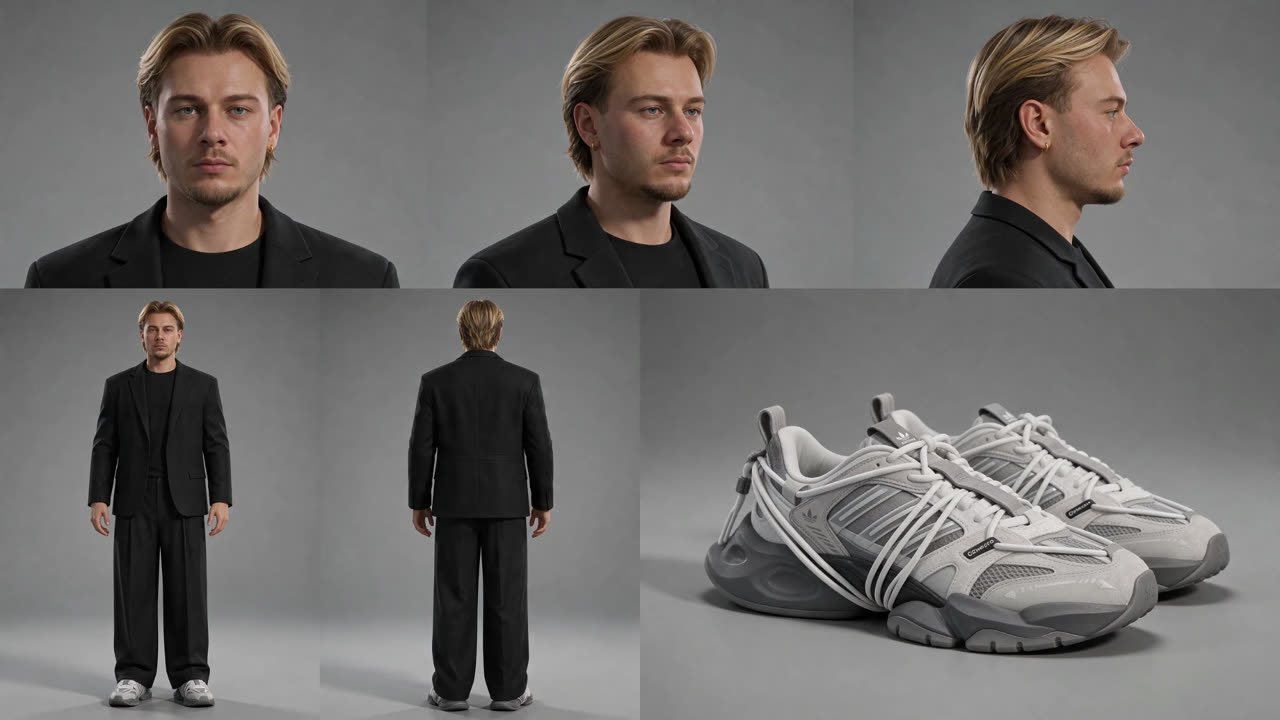
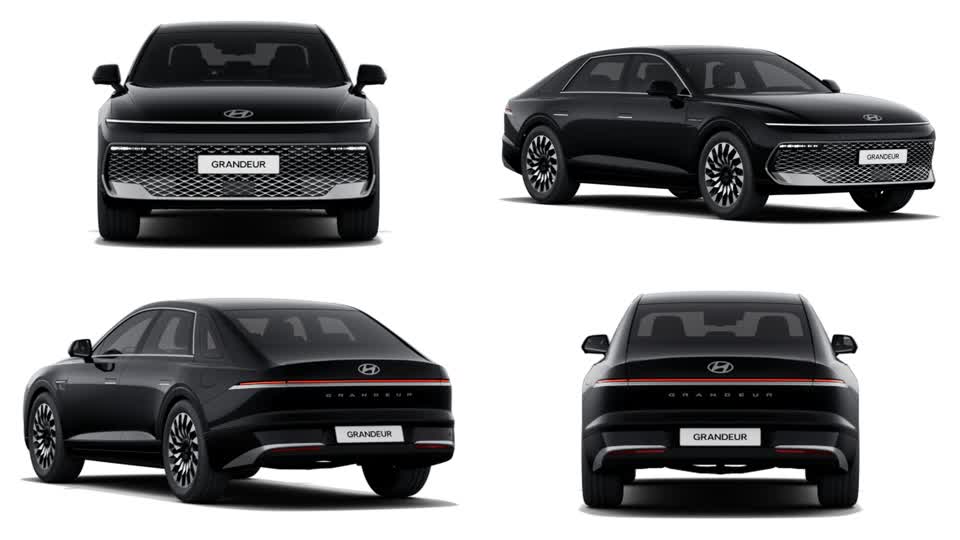
STEP 1. Two sheets. (a) Character sheet: from my real photos, one 16:9 image with 3 panels on a plain neutral grey background (face from the front, full body, strict profile). My face, hair and build exactly as in the photos; only the outfit changes (name fabrics and exact colours, e.g. thick matte cotton). (b) Car sheet: from real photos of my car, one 16:9 image on a white background with 4 views (front, three-quarter front, three-quarter rear, rear). Write both Seedream prompts.
STEP 2. Locations: one still image per place in my story, described with the same words every time so the set never changes between shots. Write one Seedream prompt per location.
STEP 3. Video, shot by shot: one Seedance prompt per shot (or small scene), in English, long and structured. For each, tell me the settings (duration, 480p draft) and which images to attach with @ (sheet, location, and one real GTA VI clip as a camera reference).

STRUCTURE OF EVERY VIDEO PROMPT, in this order:
1. Style line: GTA VI gameplay or in-game cutscene, a VIDEO GAME not a film, no subtitles, text or HUD.
2. @your_character_sheet FOR THE CHARACTER REFERENCE: the player exactly as on the sheet, described in the same words in every prompt.
3. @location_xxx is the opening frame and the visual truth: describe the place, the people and their seats.
4. @Video 1 is a real game clip, for REFERENCE CAMERA, ANIMATION AND RENDER only: list what NOT to copy (its people, its place, any text, minimap, watermark).
5. "The player must perform every action below, fully visible and in this exact order: ..." (add "he REALLY ..." on any action that tends to be skipped).
6. Timed beats: [00:00], [00:03]... one event per beat, spoken lines in quotes.
7. Sound: what I want to hear, no music.
8. A long "No ..." list: no fades, no morphing, no second copy of the player, no live-action look, no cut, plus anything that went wrong before.

RULES THAT MADE IT WORK:
- Never use real brands or company names: invent them. Write "black pistol", never a brand or model.
- The only reference for my face is the character sheet. Never use another AI image as a reference. Exception: a close-up taken from my own reel for the final face-to-camera shot.
- Use the location still as the START FRAME when an object must look exactly right (gates, doors). Say what it is NOT (e.g. "low gates, NOT doors").
- Same seats, same people, same camera side in every shot of a scene.
- Keep any weapon in its own clip so a moderation block only costs that clip.
- If I tell you a take went wrong, fix the PROMPT (never edit the image) and give me the corrected prompt.

Here is one real prompt that worked, as a model for the level of detail and the wording:
-----
GTA 6 (Grand Theft Auto VI) gameplay footage by Rockstar Games, rendered in real time with the Unreal Engine 5 look of the official GTA 6 trailers. A VIDEO GAME, not a film: CG character models with game-style animation, crisp game graphics, sun-bleached GTA 6 colour grade, everything in focus. Absolutely no subtitles, captions, text or HUD.
@your_character_sheet FOR THE CHARACTER REFERENCE: the player character exactly as on the sheet: [DESCRIBE YOUR CHARACTER: hair, facial hair, jewelry, jacket, top, trousers, shoes], an iced latte in his right hand.
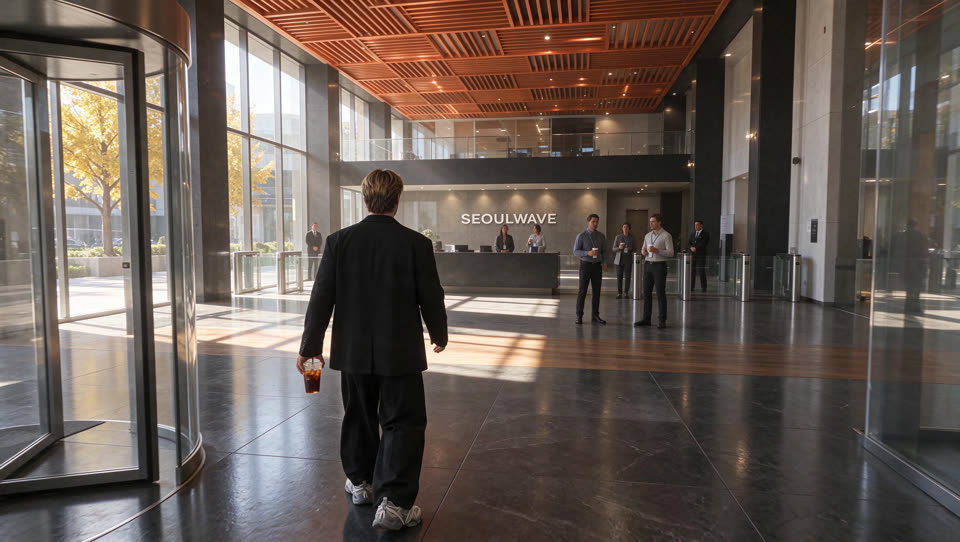
@location_lobby is the FIRST FRAME of the video and the visual truth: the video starts on exactly this image, same camera position, same framing, same lobby. The double-height SEOULWAVE lobby with the copper-orange slatted ceiling, the tall dark stone columns, the polished dark stone floor, the revolving door at the left edge behind the player, the reception desk under the SEOULWAVE lettering straight ahead, and the SECURITY GATES exactly as in the image: a row of waist-high brushed-steel speed gates with small clear glass flaps, standing on the floor on both sides of the reception desk. They are low gates, NOT doors, NOT revolving doors, NOT glass walls. The player is seen from behind in the lower centre of the frame, iced latte in hand. He appears only once.
@Video 1 For REFERENCE GAMEPLAY MOVEMENT ANIMATION AND CAMERA: copy how the player strides across a big lobby with the third-person camera following right behind him; do NOT copy its people, its place or any text.
The player must perform every action below, fully visible and in this exact order: walk forward across the lobby to the low speed gates on the right of the reception desk, tap his card on the gate reader, walk through as the glass flaps fold open.
[00:00] Exactly the first frame, one continuous third-person gameplay shot, the camera following right behind him at the same height and distance, no cut: he walks forward across the dark stone floor toward the low steel speed gates on the right of the reception desk; the people standing in the lobby glance at him.
[00:02] Same continuous shot: he taps a black access card on the reader on top of a gate post with his left hand, the two small glass flaps fold open sideways and he walks straight through the gate and on into the building. The footage ends at 00:04.
Sound: footsteps on stone, lobby echo, the gate beep, the glass flaps folding. No music. No fades, no morphing, no second copy of the player, no live-action look, no revolving door in the middle of the lobby, no glass doors or glass walls in his way, no elevator, no cut, no readable text other than the SEOULWAVE lettering.
-----

For each video shot, also tell me what kind of REAL GTA VI clip I should look for as the camera reference (for example: "a character gets out of a car", "walks through a bank lobby", "steps out of an elevator", "a team around a boardroom table while the boss stands and talks", "a seated man talking in close-up", "the weapon wheel", "a man raising his hands in front of a pistol").

Now ask me, in this order: my idea and my city, my outfit, whether I have a car and what it looks like, and the list of shots I want. Then start with Step 1.
Step 1 · Your sheets
Two reference images, made from real photos. Everything later points to them.
Character sheet
3 views on a neutral background: face, full body, profile.
You tell Claude (attach your selfie)
Take the person from my photos and keep my face, hair and proportions exactly the same. 16:9 character sheet, 3 panels on a plain grey background: face from the front, full body, strict profile. Dress me in [your outfit]: thick matte cotton, exact colours, nothing shiny.
Car sheet
Your car in front, three-quarter and rear views on white.
You tell Claude (attach photos of your car)
Make a car sheet from these photos of my car: 16:9, white background, 4 views (front, three-quarter front, three-quarter rear, rear). Keep the exact model, colour, lights and grille.
Tip Three views work like a 360° map: when the camera moves later, the model never has to guess your profile. Name the fabrics and colours.
Step 2 · Your locations
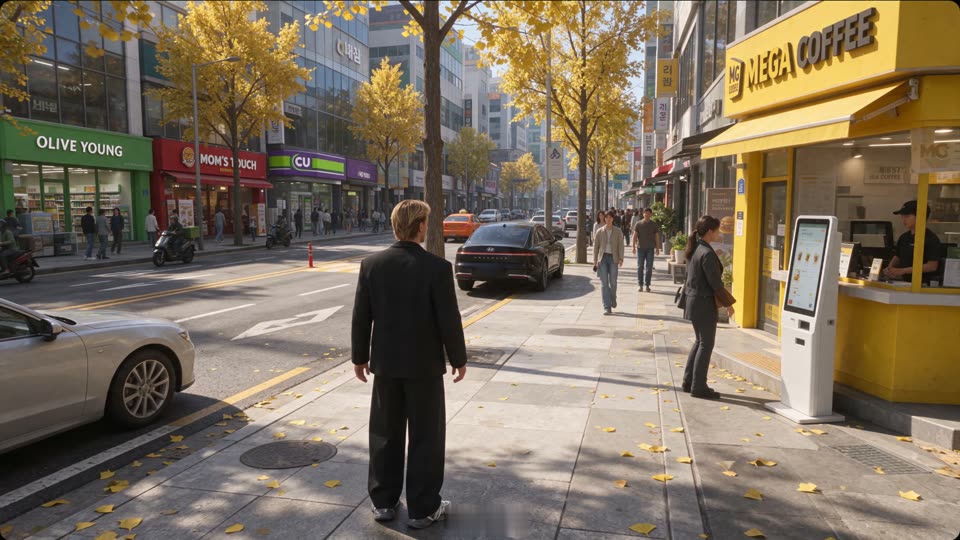
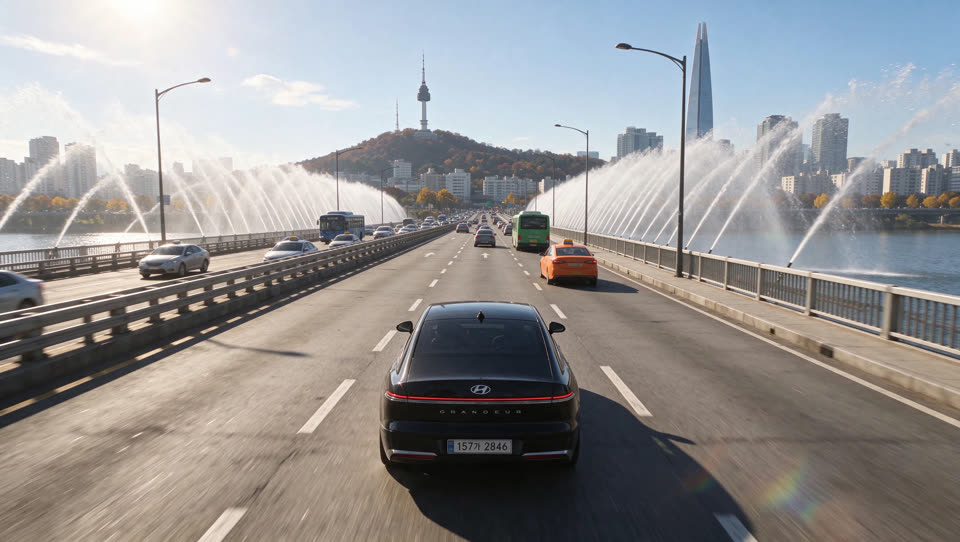
One still image per place in your story. Each one becomes the first frame of its shot. Describe a place with the same words every time.
Café street (first shot)BridgeStreet and towerLobbyElevatorBoardroomBoardroom, seated
Example: the seated outro still
Seedream 5.516:9 · 2K
You tell Claude
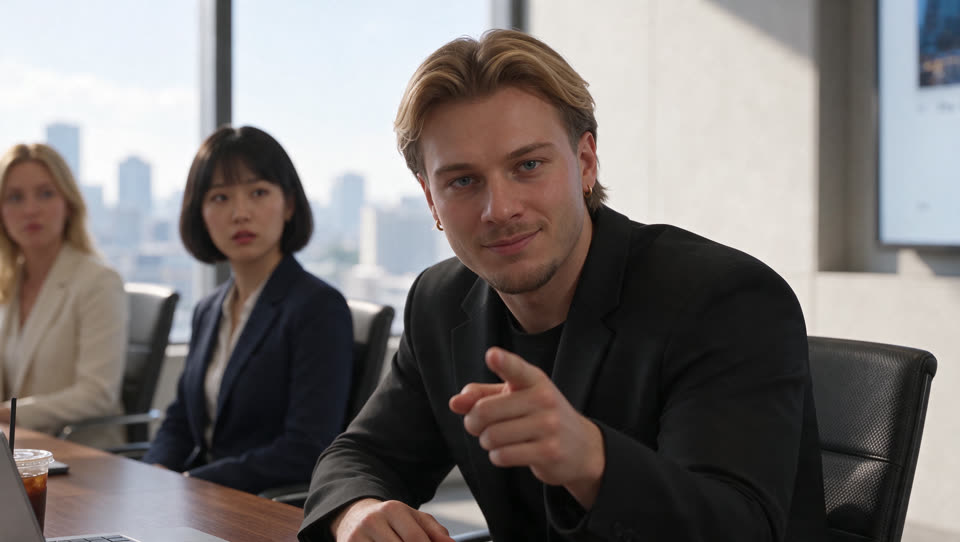
The boardroom from the meeting, but I'm alone at the table, seated, leaning toward the camera like I'm sharing a secret. GTA cutscene framing. Use my character sheet, and this real GTA frame only for the camera.
Attach
your_character_sheetImage 1real_gta_frameImage 2: camera and render only
The prompt Claude writes
REFERENCES: image 1 = the hero's character sheet (face, hair, beard, earring, full body in his outfit): keep his face, hair, beard, earring and outfit exactly. Image 2 = real GTA VI in-game cutscene capture of a man seated in a black leather office chair, talking with his hands: copy ONLY its seated cutscene framing, its slightly low camera and its game rendering of a character. TAKE NOTHING ELSE FROM image 2: not its person, not its dark room, not its lighting, not its clothes.
CAMERA: GTA VI in-game cutscene close shot from across the boardroom table, the camera low, just above the near edge of the walnut tabletop, looking very slightly up at him, about 35 mm lens. Framed from just above his head down to his forearms resting on the table at the bottom of the frame; his face in the upper centre of the frame, close and intimate, eyes on the lens.
SHOT: the top-floor boardroom of the SEOULWAVE headquarters in Yongsan, Seoul, in bright late-morning light, after the meeting, now empty except for him. The hero sits alone at the long dark walnut table in a black leather boardroom chair, leaning forward toward the camera on his forearms, as if about to share a secret tip with the viewer: his hands loosely together on the table, one index finger lifted slightly toward the lens, a knowing, confident half-smile, one eyebrow slightly raised, looking straight into the lens, breaking the fourth wall. His iced latte stands on the table by his right hand. Behind him, softly out of focus: on the left of the frame, the floor-to-ceiling windows on the bright Seoul skyline with N Seoul Tower on Namsan and the Han River; on the right of the frame, the light grey concrete wall panels and the edge of the large wall screen showing a pale Keynote slide; a few empty black leather chairs and laptops along the table. The only light is the daylight from the windows. The hero: [DESCRIBE YOUR CHARACTER as on the sheet: hair, facial hair, jewelry, outfit]. He appears only once.
RENDER: in-game cutscene frame of GTA VI (Rockstar RAGE engine, the look of the official GTA VI trailers): real-time game graphics, not a photograph, realistic but clean game skin, crisp game textures, ray-traced reflections on the walnut table and the windows, sun-bleached colour grade, soft bloom, shallow game depth of field. No HUD, no UI, no subtitles, no watermark, no weapon, no other people, no readable text.
Step 3 · Your shots
One prompt per shot, in the order of the reel. For each: attach the sheets, the location still as the first frame, and one real GTA VI clip as @Video 1 for the camera only. Those clips belong to their owners, so I do not include them: find them in official trailers and gameplay, and cut 4 to 8 seconds. [BLANKS IN CAPS] are yours to fill in.
Shot 01
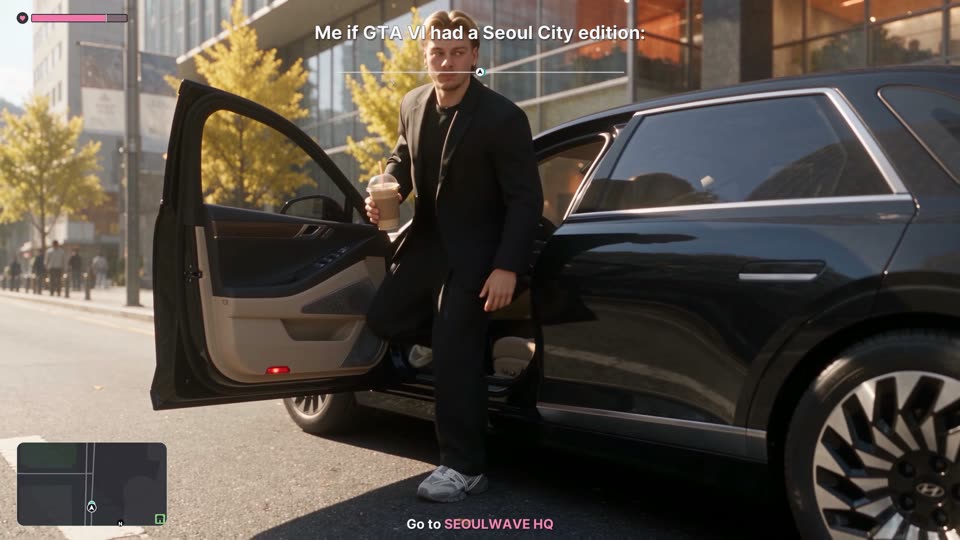
Coffee run, then into the car
Seedance 2.516:914 s3 images + 1 video
Your input: the location still (first frame)The result in the reel, with the game HUD added
What you tell Claude (example)
First shot: I walk to the coffee window, order, take my iced latte, walk to my car, get in and drive off down the street. 14 seconds, GTA gameplay look. Use my character sheet, my car sheet, my street image as the first frame, and this real GTA clip for the camera.
Attach with @
your_character_sheetCharacter sheetyour_car_sheetCar sheetlocation_cafeLocation stillVideo 1A real GTA VI clip: the player walks to a shop counter and orders
Tip. One continuous shot, then a hard cut to the car driving off. Say the player REALLY gets into the car, and that he does NOT walk past the cafe.
The prompt Claude writes (copied from the real production)
GTA 6 (Grand Theft Auto VI) gameplay footage by Rockstar Games, rendered in real time with the Unreal Engine 5 look of the official GTA 6 trailers. A VIDEO GAME, not a film: CG character models with game-style animation, crisp game graphics, sun-bleached GTA 6 colour grade, everything in focus. Absolutely no subtitles, captions, text or HUD.
@your_character_sheet FOR THE CHARACTER REFERENCE
CAR CONSISTENCY: @your_car_sheet is the official reference of his car (front, three-quarter and rear views); do not show its white background or several cars. His [CAR COLOUR + MODEL] must stay exactly this model in every frame and every shot: [DESCRIBE YOUR CAR: body shape, front light line, grille, rear light bar], the brand badge above it, the chrome [MODEL NAME] lettering below it, rear plate [YOUR PLATE]. The car's shape, proportions, lights, lettering and plate never change, never morph and never flicker. It is the only [CAR COLOUR][CAR MODEL] in the scene.
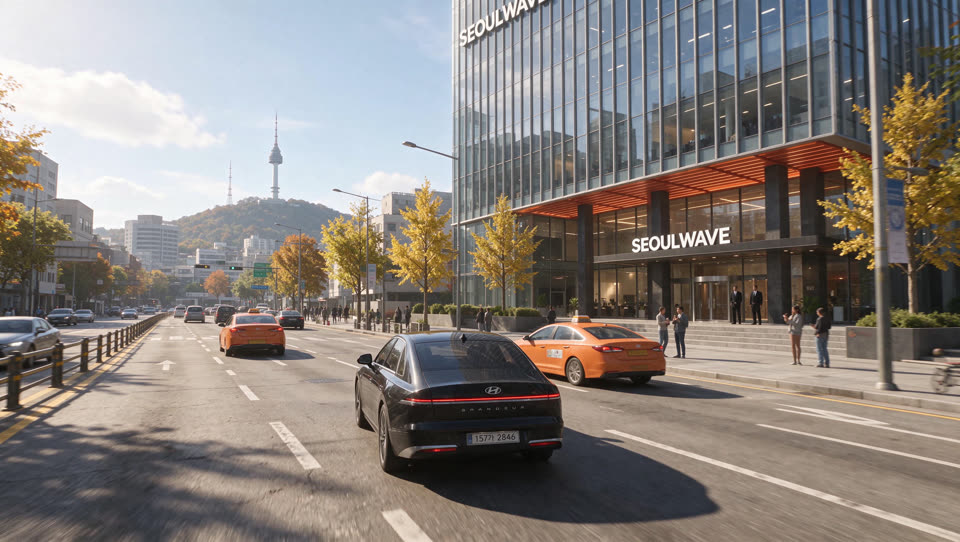
@location_cafe is the opening frame and the visual truth: the same [YOUR CITY] street with yellow ginkgo trees and golden leaves on the pavement, [YOUR STREET SHOPS] across the street, the yellow [COFFEE SHOP NAME] takeout shop on the right with its barista in a black cap behind the takeout window, the same player in his [OUTFIT], and his [CAR COLOUR + MODEL] (plate [YOUR PLATE]) parked at the curb further ahead on the left. The player appears only once.
@Video 1 For REFERENCE GAMEPLAY MOVEMENT ANIMATION, CAMERA, RENDER, INTERACTION
The player must perform every action below, fully visible and in this exact order: walk to the coffee window, order, take the coffee, walk to the car, get in, drive away. He does NOT walk past the café, and he REALLY gets into the car.
[00:00] One continuous third-person gameplay shot, the camera following right behind the player, no cut: he turns right and walks to the [COFFEE SHOP NAME] takeout window, passes the woman at the kiosk and stops at the counter, facing the barista.
[00:03] Same continuous shot, the camera slightly closer over his shoulder: he leans on the counter and orders: "One iced latte, please." The barista nods, grabs a cup and hands him an iced latte in a clear cup with a yellow logo. The player takes it in his right hand: "Thanks."
[00:06] Same continuous shot: coffee in hand, he turns and walks straight ahead along the sidewalk to his [CAR COLOUR][CAR MODEL] parked at the curb, walks around to the driver's door, opens it, sits down in the driver's seat and pulls the door shut. We clearly see him inside the car.
[00:11] Hard cut. Driving chase camera low behind the car: the thin red light bar across the trunk glows, the car pulls away from the curb and drives off down the avenue of yellow ginkgo trees, golden leaves swirling behind it. The footage ends at 00:14.
Sound: street ambience, footsteps, the two short lines, the car door closing, the engine starting and accelerating. No music.
No fades, no morphing, no second copy of the player, no live-action look.
Shot 02
The bridge: flat-out driving
Seedance 2.516:95 s2 images + 1 video
Your input: the location still (first frame)The result in the reel, with the game HUD added
What you tell Claude (example)
Make me drive across the bridge flat out like in a racing game, with the GTA chase camera, even faster than the reference clip. Use my car sheet and the bridge image as the first frame.
Attach with @
your_car_sheetCar sheetlocation_bridgeFirst frameVideo 1A fast chase through traffic, camera behind the car
Tip. Do not copy the reference car, road or HUD: take only the driving and the camera.
The prompt Claude writes (copied from the real production)
GTA 6 (Grand Theft Auto VI) gameplay footage by Rockstar Games, rendered in real time with the Unreal Engine 5 look of the official GTA 6 trailers. A VIDEO GAME, not a film: crisp game graphics, glossy car paint with ray-traced reflections, sun-bleached GTA 6 colour grade, everything in focus. Absolutely no subtitles, captions, text or HUD.
CAR CONSISTENCY: @your_car_sheet is the official reference of his car (front, three-quarter and rear views); do not show its white background or several cars. His [CAR COLOUR + MODEL] must stay exactly this model in every frame: [DESCRIBE YOUR CAR: body shape, rear light bar], the brand badge above it, the chrome [MODEL NAME] lettering below it, rear plate [YOUR PLATE]. The car's shape, proportions, lights, lettering and plate never change, never morph and never flicker. It is the only [CAR COLOUR][CAR MODEL] in the scene.
@location_bridge is the opening frame and the visual truth: the same Banpo Bridge over the Han River on a sunny autumn morning, the same straight road with its central median guardrail and white arrows, Namsan and N Seoul Tower straight ahead, Lotte World Tower on the right, the orange taxi and the green bus ahead, the oncoming traffic on the left, and the same LOW, CLOSE chase camera: just above the car roof, the car large in the lower centre of the frame, the horizon a little above the middle. THE FOUNTAIN runs along the ENTIRE length of the bridge on both sides, from right beside the car to the far end, with no gap: a dense row of jets shooting out HORIZONTALLY from the railing height, straight out sideways over the river, perpendicular to the road, drooping and falling into the river only far out, with a rainbow in the mist on the right. The jets are horizontal, never spraying upward.
@Video 1 For REFERENCE GAMEPLAY DRIVING, CAMERA, RENDER: copy how the pink coupe is driven and filmed: the GTA chase camera locked right behind the car, swinging a beat late on each change of direction, the car cutting across lane lines and slipping past the traffic very close, the game feel. Copy ONLY the driving and the camera: NOT the pink car, NOT the avenue, NOT the buildings, NOT its right turn, NOT its cuts, and NOT the GPS, the minimap, the title, the subtitles or any HUD or text. Drive even faster and more aggressively than in @Video 1.
HOW HE DRIVES: like in a fast arcade racing video game, the way players drive in Need for Speed, but with the exact GTA VI look and chase camera. Flat out, full throttle, far too fast for the road, never slowing down: the car weaves from lane to lane, slips past the traffic very close, and the whole world rushes past. Huge sense of speed: strong motion blur on the asphalt and the railings, the lane dashes streaking into continuous lines, the street lamps whipping past, the low chase camera locked close behind the car, at the same height as in the opening frame, with a slight speed shake, the view widening as he accelerates.
[00:00] One continuous driving chase shot, exactly the opening view, no cut: he floors it, the car leaps forward and the bridge starts rushing past.
[00:01.5] At full speed, he swerves left around the orange taxi, almost touching it, then snaps back right.
[00:03.5] He threads past the green bus and blasts on toward Namsan and N Seoul Tower, the unbroken rows of horizontal fountain jets streaming past on both sides along the whole bridge, faster and faster. The footage ends at 00:05.
Sound: engine screaming at high revs, a turbo whistle, wind rush, tyres on the asphalt, a horn from the taxi, the hiss of the fountain. No music. No slow driving, no calm cruising, no braking, no cut, no fades, no morphing, no second bridge, no gap in the fountain, no jets spraying upward, no curve in the road, no crash, no second black car, no pink car, no live-action look.
Shot 03
Arrival, crooked parking, out of the car
Seedance 2.516:97 s480p draft
Your input: the location still (first frame)The result in the reel
What you tell Claude (example)
I want the shot where I park badly in front of the tower, climb out through the driver's door and walk to the entrance, like real GTA gameplay. Use my character sheet, my car sheet, my arrival image as the first frame, and this real GTA clip for the camera.
Attach with @
your_character_sheetCharacter sheetyour_car_sheetCar sheetlocation_arrivalFirst frameVideo 1The player parks and climbs out of a car
Tip. Name the exact door and list each action in order. Early takes had the car end up sideways and the player already standing outside.
The prompt Claude writes (copied from the real production)
GTA 6 (Grand Theft Auto VI) gameplay footage by Rockstar Games, rendered in real time with the Unreal Engine 5 look of the official GTA 6 trailers. A VIDEO GAME, not a film: CG character models with game-style animation, crisp game graphics, sun-bleached GTA 6 colour grade, everything in focus. Absolutely no subtitles, captions, text or HUD.
@your_character_sheet FOR THE CHARACTER REFERENCE: the player character exactly as on the sheet: [DESCRIBE YOUR CHARACTER: hair, facial hair, jewelry, jacket, top, trousers, shoes].
CAR CONSISTENCY: @your_car_sheet is the official reference of his car (front, three-quarter and rear views); do not show its white background or several cars. His [CAR COLOUR + MODEL] must stay exactly this model in every frame and every shot: [DESCRIBE YOUR CAR: body shape, front light line, grille, rear light bar], the brand badge above it, the chrome [MODEL NAME] lettering below it, rear plate [YOUR PLATE]. The car's shape, proportions, lights, lettering and plate never change, never morph and never flicker. It is the only [CAR COLOUR][CAR MODEL] in the scene. It is a left-hand-drive Korean car: the DRIVER'S DOOR is the FRONT door on the LEFT side of the car, directly behind the left front wheel.
@location_arrival is the opening frame and the visual truth: the same sunny autumn boulevard in Yongsan, Seoul, with yellow ginkgo trees, orange taxis and N Seoul Tower in the distance, the SEOULWAVE tower on the right with its SEOULWAVE lettering, glass facade, copper-orange lobby ceiling, dark stone columns and revolving doors, the two security guards and the fans on the plaza, and his [CAR COLOUR + MODEL] (plate [YOUR PLATE]) seen from behind, braking toward the curb. The player is inside the car, in the driver's seat, and appears only once.
@Video 1 For REFERENCE GAMEPLAY MOVEMENT ANIMATION, CAMERA, RENDER, INTERACTION: copy how the player opens the driver's door, swings his legs out, stands up out of the seat and walks away from the car.
The player must perform every action below, fully visible and in this exact order: stop the car crooked at the curb, open the FRONT LEFT driver's door, climb out of the driver's seat, leave the door open, walk toward the SEOULWAVE entrance. He does NOT appear already standing outside the car, he does NOT use a rear door or the passenger side, and he REALLY climbs out of the driver's seat in front of us.
[00:00] One continuous driving chase shot, the camera low right behind the car, no cut: the car brakes hard, swerves to the right-hand curb in front of the SEOULWAVE entrance and skids to a crooked stop, nose angled about 30 degrees toward the curb with the front right wheel up on it and the rear sticking out into the lane, tyres smoking, golden leaves flying. The car does NOT spin sideways: its left side stays turned toward the camera.
[00:02.5] Same continuous shot, the camera drifting to the LEFT rear three-quarter of the car at chest height, so the whole left side of the car and its FRONT LEFT DRIVER'S DOOR are in full view: the driver's door swings open outward on its front hinges; the player swings his left leg out onto the asphalt, grabs the door frame and stands up out of the driver's seat, an iced latte in his right hand. The rear left door stays closed the whole time. If the front left door is not in the frame while he gets out, the shot is wrong.
[00:04.5] Same continuous shot, the third-person camera now right behind the player: he leaves the driver's door wide open and the car parked crooked, turns and walks around the back of the car toward the revolving doors without looking back. A security guard throws up his hands: "Sir, you can't park here!" The footage ends at 00:07 with the player still outside, walking toward the entrance.
Sound: engine, tyre screech, the driver's door opening, footsteps, the guard's line, city ambience. No music. No fades, no morphing, no second copy of the player, no live-action look, no cut before he is out of the car, no player already standing next to the car, no exit through a rear door or the passenger door, no car turned sideways across the road, no second black car, no company name other than SEOULWAVE.
Shot 04
The lobby and the speed gates
Seedance 2.516:94 sstart frame
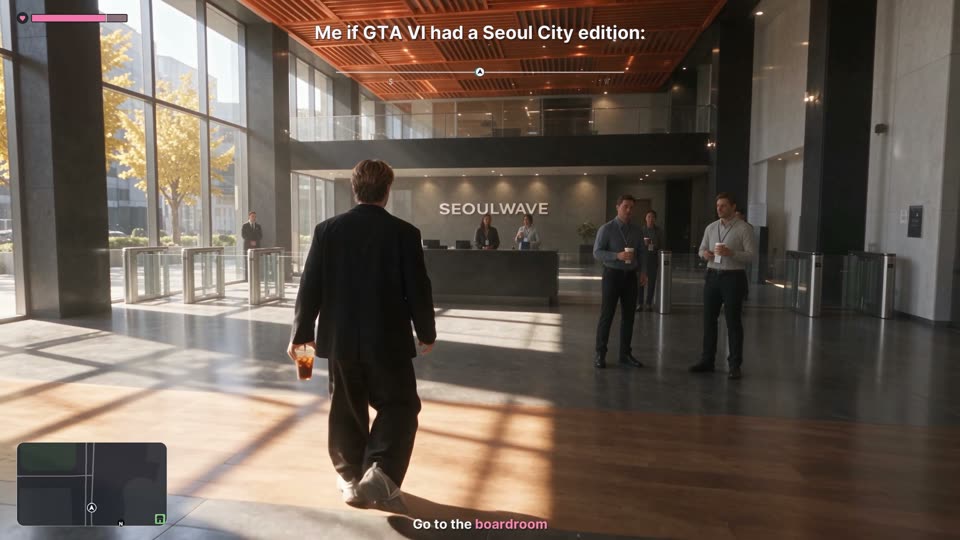
Your input: the location still (first frame)The result in the reel
What you tell Claude (example)
Same lobby as my image. I walk to the speed gates, tap my card and walk through. The gates are low gates, not doors. Start exactly on my image.
Attach with @
your_character_sheetCharacter sheetlocation_lobbyFirst frameVideo 1The player crosses a big bank lobby, camera behind
Tip. Put the location still in as the START FRAME, not just as a reference.
The prompt Claude writes (copied from the real production)
GTA 6 (Grand Theft Auto VI) gameplay footage by Rockstar Games, rendered in real time with the Unreal Engine 5 look of the official GTA 6 trailers. A VIDEO GAME, not a film: CG character models with game-style animation, crisp game graphics, sun-bleached GTA 6 colour grade, everything in focus. Absolutely no subtitles, captions, text or HUD.
@your_character_sheet FOR THE CHARACTER REFERENCE: the player character exactly as on the sheet: [DESCRIBE YOUR CHARACTER: hair, facial hair, jewelry, jacket, top, trousers, shoes], an iced latte in his right hand.
@location_lobby is the FIRST FRAME of the video and the visual truth: the video starts on exactly this image, same camera position, same framing, same lobby. The double-height SEOULWAVE lobby with the copper-orange slatted ceiling, the tall dark stone columns, the polished dark stone floor, the revolving door at the left edge behind the player, the reception desk under the SEOULWAVE lettering straight ahead, and the SECURITY GATES exactly as in the image: a row of waist-high brushed-steel speed gates with small clear glass flaps, standing on the floor on both sides of the reception desk. They are low gates, NOT doors, NOT revolving doors, NOT glass walls. The player is seen from behind in the lower centre of the frame, iced latte in hand. He appears only once.
@Video 1 For REFERENCE GAMEPLAY MOVEMENT ANIMATION AND CAMERA: copy how the player strides across a big lobby with the third-person camera following right behind him; do NOT copy its people, its place or any text.
The player must perform every action below, fully visible and in this exact order: walk forward across the lobby to the low speed gates on the right of the reception desk, tap his card on the gate reader, walk through as the glass flaps fold open.
[00:00] Exactly the first frame, one continuous third-person gameplay shot, the camera following right behind him at the same height and distance, no cut: he walks forward across the dark stone floor toward the low steel speed gates on the right of the reception desk; the people standing in the lobby glance at him.
[00:02] Same continuous shot: he taps a black access card on the reader on top of a gate post with his left hand, the two small glass flaps fold open sideways and he walks straight through the gate and on into the building. The footage ends at 00:04.
Sound: footsteps on stone, lobby echo, the gate beep, the glass flaps folding. No music. No fades, no morphing, no second copy of the player, no live-action look, no revolving door in the middle of the lobby, no glass doors or glass walls in his way, no elevator, no cut, no readable text other than the SEOULWAVE lettering.
Shot 05
Elevator, corridor, glass door
Seedance 2.516:98 s3 images + 1 video
Your input: the location still (first frame)The result in the reel
What you tell Claude (example)
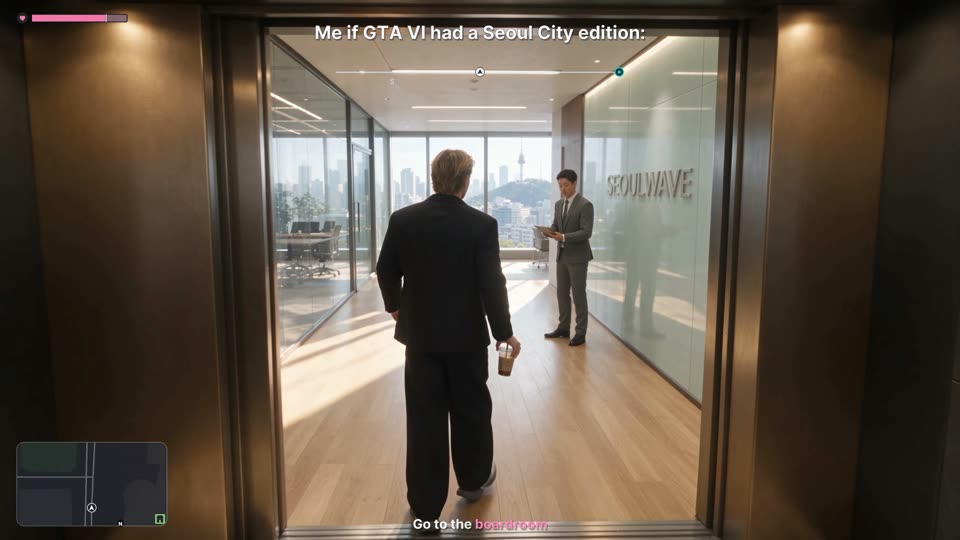
I step out of the elevator coffee in hand, the assistant says "They're waiting for you", I walk down the corridor and push the glass door into the boardroom. Everyone turns to look.
Attach with @
your_character_sheetCharacter sheetlocation_elevatorFirst framelocation_boardroom_entryLocation stillVideo 1The player steps out of an elevator and through a glass door
Tip. One image per visible place: the elevator opens the shot, the boardroom closes it.
The prompt Claude writes (copied from the real production)
GTA 6 (Grand Theft Auto VI) gameplay footage by Rockstar Games, rendered in real time with the Unreal Engine 5 look of the official GTA 6 trailers. A VIDEO GAME, not a film: CG character models with game-style animation, crisp game graphics, ray-traced reflections on the glass and the floors, everything in focus. Absolutely no subtitles, captions, text or HUD; the only writing is the SEOULWAVE lettering on the glass wall and the title on the boardroom screen.
@your_character_sheet FOR THE CHARACTER REFERENCE: the player character exactly as on the sheet: [DESCRIBE YOUR CHARACTER: hair, facial hair, jewelry, jacket, top, trousers, shoes], an iced latte in his right hand. He appears only once in every shot.
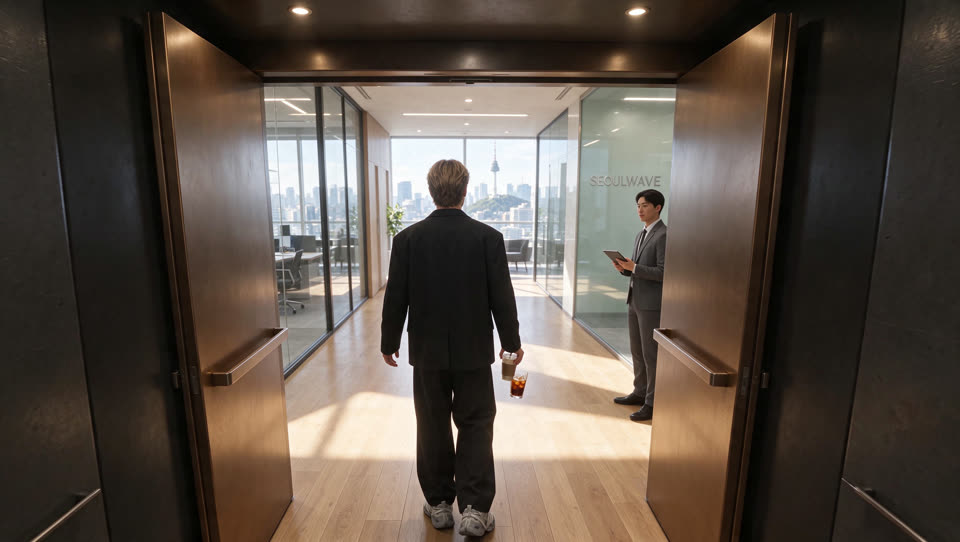
@location_elevator is the opening frame and the visual truth: the same elevator with dark matte walls and brushed-bronze doors opening onto the bright top-floor corridor of the SEOULWAVE headquarters, the light oak floor, the frosted glass wall with the SEOULWAVE lettering, the young Korean assistant in a grey suit holding a tablet, the Seoul skyline with N Seoul Tower at the far end.
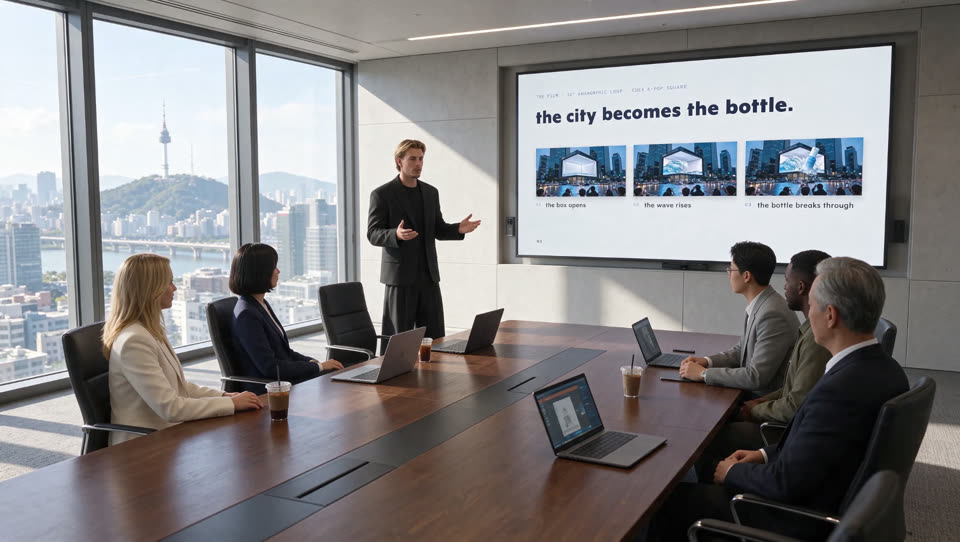
@location_boardroom_entry is the visual truth for the end of the shot: the same boardroom seen from just behind the player as he walks in through the glass door: the long walnut table, the floor-to-ceiling windows on the left with N Seoul Tower and the Han River, the wall screen at the far end showing the slide "the city becomes the bottle.", and the same five board members in the same seats: on the left the blonde woman in a cream blazer and the woman with a black bob in a navy suit; on the right the young Korean man with glasses in a light grey suit, the Black man in an olive jacket and the older Korean man with grey hair in a dark suit.
@Video 1 For REFERENCE GAMEPLAY MOVEMENT, CAMERA, RENDER: copy how the player steps out of the elevator and walks on through a glass door with the third-person camera following right behind him; do NOT copy its people, its place or any text.
The player must perform every action below, fully visible and in this exact order: step out of the elevator, nod to the assistant, walk down the corridor, push the glass door of the boardroom, walk in. He does NOT run, and he REALLY goes through the glass door into the boardroom.
[00:00] One continuous third-person gameplay shot, the camera following right behind the player, no cut, exactly the opening view: the elevator doors finish sliding open and he steps out onto the oak floor, coffee in hand; the assistant with the tablet bows slightly: "They're waiting for you." He nods without stopping.
[00:03] Same continuous shot: he walks down the bright corridor past the glass walls toward the frameless glass door of the boardroom at the end, the camera following at the same distance.
[00:05.5] Same continuous shot: he pushes the glass door open with his left hand and walks into the boardroom; the five board members turn their heads toward him, exactly the view of @location_boardroom_entry. The footage ends at 00:08.
Sound: the elevator ding, the doors sliding, footsteps on the oak floor, the assistant's line, the glass door opening, the quiet room tone of the boardroom. No music. No fades, no morphing, no second copy of the player, no extra person at the table, no live-action look.
Shot 06
Meeting, part 1: the pitch and the question
Seedance 2.516:910 s2 images + 1 video
Your input: the location still (first frame)The result in the reel
What you tell Claude (example)
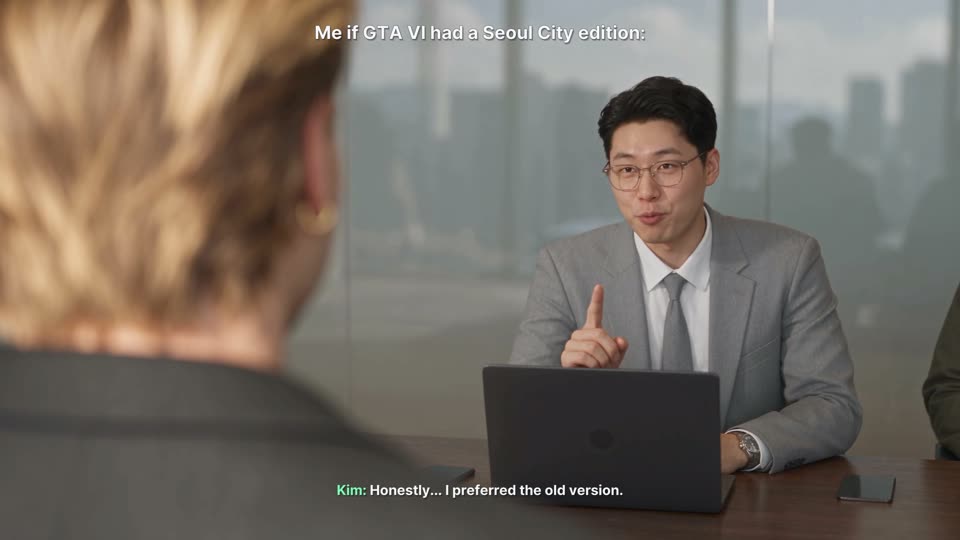
I present the slide, everyone applauds, I sit down, and the young man with glasses raises one finger and asks if we can go back to the first version.
Attach with @
your_character_sheetCharacter sheetlocation_boardroomFirst frameVideo 1Cutscene: a team around a big table, the boss standing
Tip. Describe the five board members and their seats in every prompt, always with the same words. Nobody changes seats.
The prompt Claude writes (copied from the real production)
GTA 6 (Grand Theft Auto VI) in-game cutscene by Rockstar Games, rendered in real time with the Unreal Engine 5 look of the official GTA 6 trailers. A VIDEO GAME, not a film: CG character models with game-style animation and facial animation, crisp game graphics, ray-traced reflections on the table and windows, everything in focus. Absolutely no subtitles, captions, text or HUD; the only writing is the title on the wall screen.
@your_character_sheet FOR THE CHARACTER REFERENCE: the player character exactly as on the sheet: [DESCRIBE YOUR CHARACTER: hair, facial hair, jewelry, jacket, top, trousers, shoes]. He appears only once in every shot.
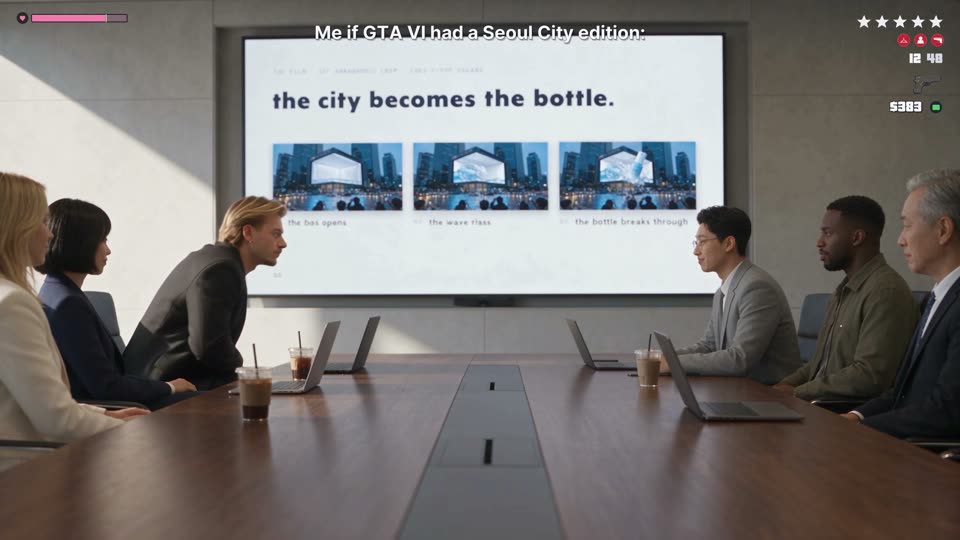
@location_boardroom is the opening frame and the visual truth: the same top-floor boardroom of the SEOULWAVE headquarters in Yongsan, Seoul, in bright late-morning light, the floor-to-ceiling windows on the Seoul skyline with N Seoul Tower and the Han River, the long dark walnut table with laptops and iced coffees, the large wall screen showing a clean Keynote slide exactly as in the frame: pale background, a small monospace line at the top, the big bold title "the city becomes the bottle.", three numbered picture cards with short captions and a small page number, the player standing next to the screen, and the same five board members always in the same seats: on the left side the blonde woman in a cream blazer (near) and the woman with a black bob in a navy suit; on the right side, from the far end near the screen, the young Korean man with glasses in a light grey suit, the Black man in an olive jacket, the older Korean man with grey hair in a dark suit (near).
@Video 1 For REFERENCE CUTSCENE CAMERA, ANIMATION, RENDER: copy its in-game cutscene framing, the way the standing boss talks to the seated team, the gestures and the facial animation; do NOT copy its people, its room or any text.
The characters must perform every action below, fully visible and in this exact order: the player presents the slide, the board applauds, the player sits down, the young man with glasses raises one finger and asks his question.
[00:00] In-game cutscene, wide, exactly the opening view: the player turns to the screen, points at the three pictures on the slide with an open hand, then turns back to the board, confident: "And here's the final idea." Hard cut.
[00:03.5] Same wide angle: all five board members smile and applaud; the player gives a small satisfied nod, walks back to the empty chair at the near end of the table and sits down. Hard cut.
[00:06.5] Over-the-shoulder from behind the seated player, the back of his blond head soft in the left foreground: across the table, the young Korean man with glasses in the light grey suit politely raises one index finger: "Sorry... could we go back to the first version?" The footage ends at 00:10.
Sound: quiet office hum, his line, applause, the question. No music. No fades, no morphing, no second copy of the player, no one changing seats, no live-action look, no number in the corner of the frame.
Shot 07
Meeting, part 2: the stare and the pistol
Seedance 2.516:96 sisolated on purpose
Result: the questionResult: the pistol
What you tell Claude (example)
My smile freezes, I stand up, pull out a black pistol and point it at him. He raises both hands. No shot is fired.
Attach with @
your_character_sheetCharacter sheetlocation_boardroomLocation stillVideo 1Cutscene: a man raises his hands in front of a pistol
Tip. Keep the weapon in its own clip: if moderation blocks it, you only lose this one. Write "black pistol", never a brand.
The prompt Claude writes (copied from the real production)
GTA 6 (Grand Theft Auto VI) in-game cutscene by Rockstar Games, rendered in real time with the Unreal Engine 5 look of the official GTA 6 trailers. A VIDEO GAME, not a film: CG character models with game-style animation and facial animation, crisp game graphics, everything in focus. Absolutely no subtitles, captions, text or HUD; the only writing is the title on the wall screen.
@your_character_sheet FOR THE CHARACTER REFERENCE: the player character exactly as on the sheet: [DESCRIBE YOUR CHARACTER: hair, facial hair, jewelry, jacket, top, trousers, shoes]. He appears only once in every shot.
@location_boardroom is the visual truth for the place and the people (not the opening framing): the same SEOULWAVE boardroom in bright late-morning light, the windows on the Seoul skyline, the long walnut table, the wall screen with the Keynote slide "the city becomes the bottle.", and the same five board members in the same seats. The player is now seated at the near end of the table, and the young Korean man with glasses in the light grey suit, across the table, has just asked to go back to the first version.
@Video 1 For REFERENCE CUTSCENE CAMERA, ANIMATION, REACTION: copy the in-game cutscene framing and the way the man raises his hands in front of the pistol; do NOT copy its people, its place or any text.
The characters must perform every action below, fully visible and in this exact order: the player's smile freezes, he stands up, takes out a black pistol and points it at the young man with glasses, who raises both hands. No shot is fired.
[00:00] Close-up on the player's face, seated: his confident smile slowly freezes into a cold, silent stare. Hard cut.
[00:02] Side-profile medium shot across the table: the player stands up calmly, pulls a black pistol from inside his jacket and points it straight at the young man with glasses, arm extended; the young man raises both hands in shock, the others freeze in their seats. No shot fired.
[00:04.5] Same shot held: total silence, nobody moves, the pistol still pointed. The footage ends at 00:06.
Sound: the office hum stops, a chair sliding back, the click of the pistol, a held breath. No music. No gunshot, no blood, no fades, no morphing, no second copy of the player, no live-action look, no number in the corner of the frame.
Shot 08
Outro: face to camera, "Comment PROMPT"
Seedance 2.516:95 s3 images + 1 video
Your input: the location still (first frame)The result in the reel
What you tell Claude (example)
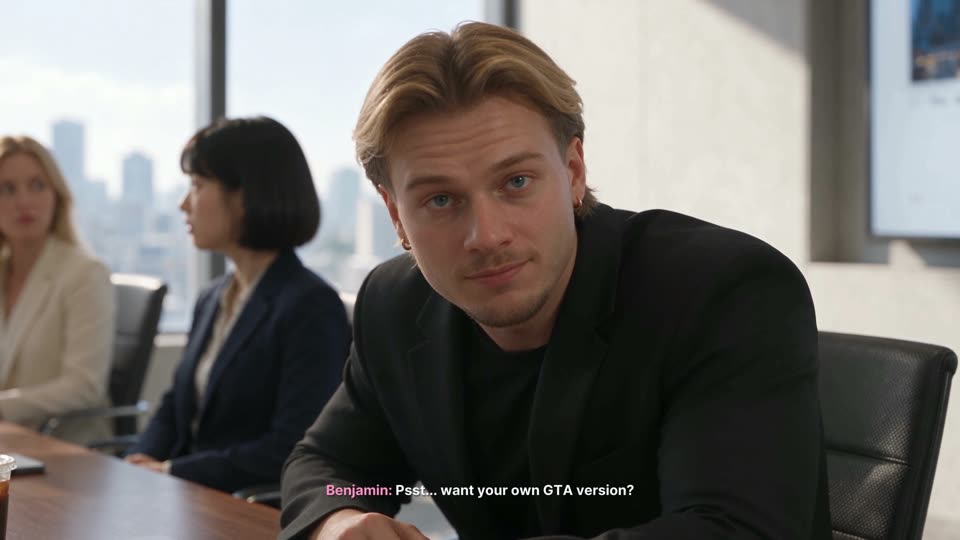
Last shot, I stay seated and lean toward the camera like I'm sharing a secret: "Psst... want your own GTA version? Comment PROMPT. I'll send you the tutorial."
Attach with @
your_face_closeupFace photoyour_face_photoFace photolocation_outro_seatedFirst frameVideo 1Cutscene: a seated character talking in close-up
Tip. The one exception to "never an AI image as reference": a close-up from your own Reel keeps your face faithful. Add a real photo of your face for the nose and the age.
The prompt Claude writes (copied from the real production)
GTA 6 (Grand Theft Auto VI) in-game cutscene by Rockstar Games, rendered in real time with the Unreal Engine 5 look of the official GTA 6 trailers. A VIDEO GAME, not a film: CG character model with game-style facial animation and lip-sync, crisp game graphics, everything sharp on him, soft background. Absolutely no subtitles, captions, text or HUD.
@your_face_closeup FOR THE CHARACTER REFERENCE: the player character exactly as in this close-up from the same cutscene: his face, [HIS HAIR, JEWELRY AND OUTFIT, as on the sheet]. His face stays exactly this face in every frame.
@your_face_photo FOR THE FACE ONLY: his real face, to confirm his features: [DESCRIBE YOUR REAL FACE: age, face shape, eye colour, nose, facial hair, build]. The face must never become older, wider or heavier while he talks. Take nothing else from @your_face_photo: not its hair, its sweatshirt, its room or its lighting.
@location_outro_seated is the opening frame and the visual truth: the reverse angle of the meeting, seen from across the walnut table. The player sits at his own seat in his black leather office chair, the floor-to-ceiling windows on the bright Seoul skyline behind him, the edge of the big wall screen with the slide on the right, his iced coffee in a clear plastic cup on the table. Next to him, on the left of the frame, the woman with the black bob in a navy suit, and beyond her the blonde woman in a cream blazer, both turned toward him, softly out of focus. He leans forward on his forearms toward the camera, looking into the lens. He appears only once.
@Video 1 For REFERENCE CUTSCENE FACIAL ANIMATION, LIP-SYNC AND HAND GESTURES: copy how the seated man talks in close-up, his mouth movements, small head moves and the way he talks with his hands; do NOT copy his face, his room, his lighting or any text.
The player must perform every action below, fully visible and in this exact order: stay seated, lean a little closer to the lens as if sharing a secret, say his line to the viewer, lift his index finger toward the camera, then sit back with a smirk. He does NOT stand up, and he REALLY looks into the lens the whole time.
[00:00] One continuous shot, exactly the opening view, the camera very slowly pushing in: he leans a little closer over the table, lowers his voice like a friend sharing a secret, one eyebrow raised: "Psst... want your own GTA version?"
[00:02.5] Same shot: he points his index finger at the lens and says with a knowing half-smile: "Comment PROMPT. I'll send you the tutorial." Then he sits back slightly in his chair and holds the look with a smirk. The footage ends at 00:05.
Next to him, the two women stay seated in their places, softly out of focus, glancing at him and at each other, puzzled; they do not speak and do not stand up.
Sound: quiet boardroom room tone, his voice clear and close, in English with a light [YOUR ACCENT]. No music. No fades, no morphing, no second copy of him, no extra people, no board member changing seats, no weapon, no live-action look, no standing up.
The edit
Game interface
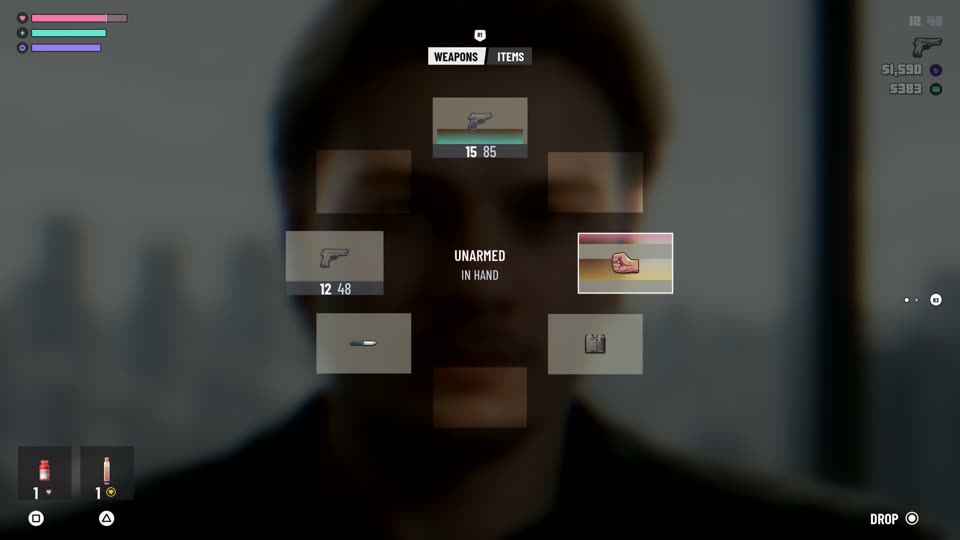
Health top left, compass top centre, money top right, minimap bottom left.
HUD on when you have control, off in cutscenes and at the WASTED flash.
Study real captures, then draw yours.
Weapon wheel
The wheel opens, you pick the pistol, the HUD returns.
Use the real wheel sounds: open, switch, confirm.
The WASTED, in 3 beats
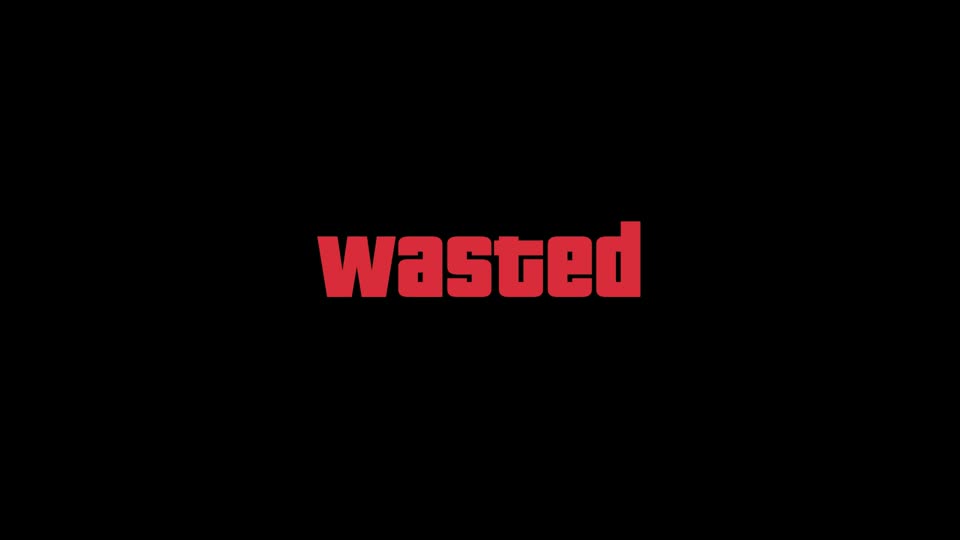
1 · Red flash, then black and white in slow motion2 · Red monochrome, "wasted" in white3 · Black, "wasted" in red
Do not invent it: copy the official animation. HUD and music stop dead at the flash. Reuse the real WASTED audio.
Sound and finish
Keep each shot's own audio, one phone notification, and a few weapon wheel micro-sounds. Too many effects spoil it. Check that no voice is hidden in a sound you extract.
No music under the outro, so "PROMPT" is clearly heard.
Upscale only the takes you keep (any upscaler, for example Topaz), then assemble in your editor.
Real game clips are camera references only: never publish raw captures.
Mistakes to skip
The set or the people change between shots
Freeze each place as a still. Reuse the same words, seats and camera side.
Your face or your car drifts
Use only the sheets as references. Restate the car's lights, grille and plate in every prompt.
The reference clip leaks its people, text or interface
Write "copy ONLY its camera… TAKE NOTHING ELSE" and list what not to copy.
An action is skipped
One event per timed beat, "in this exact order", and "he REALLY…" on the action that fails.
Moderation blocks the weapon
Say "black pistol", never a brand. Keep it in its own clip.
A real brand shows up
Invent a name (here SEOULWAVE) and use it everywhere.
One detail is off
Do not retouch. Ask Claude to fix the prompt and regenerate from scratch.
Your turn
Build your city as a GTA, post it, and tag me. I want to see it.